
Most standing desks are furniture. A few are tools. The difference shows up around month eight, when the motor on a cheap frame starts grinding and the laminate top you loved has a coffee ring that won’t lift. I’ve tested 31 desks since 2023. Returned 14. In 2026, the market has split cleanly: desks built to last a decade, and desks built to hit a price tag. Here’s how to tell them apart before you spend. Air Purifiers Home. Electric Kettles Travel. Smart Speakers 2026.
A standing desk solves one problem. Your body wasn’t designed to sit for nine hours. But a bad one creates two new ones — wobble at height, and a motor that dies in year two. Buy once, properly.
Top 5 Picks
1. Uplift V3 — Best Overall

Verdict: the desk I recommend to almost everyone. The V3 frame is overbuilt where it counts — dual motors, three-stage legs, and a stability bar that kills the shake you feel on cheaper desks at 45 inches. The bamboo top is dense and resists dents. You’ll pay for it, and then you’ll stop thinking about desks.
- Pros: Rock-solid at full height, 15-year warranty on frame, huge top and accessory catalog
- Cons: Heavy, assembly takes 45 minutes, accessories add up fast
2. Fully Jarvis — Best for Small Spaces
Verdict: the Jarvis has quietly become the best value in the mid-tier. The 48-inch version fits apartments where the Uplift feels like a dining table. Motor is fast and quiet. The frame isn’t quite as stiff, but at 42 inches it holds steady.
- Pros: Compact footprint, excellent cable management, responsive controls
- Cons: Slight wobble above 44 inches, top options are limited
3. Branch Duo — Best Under $500
Verdict: Branch cut the right corners. No frills, no app, no memory presets worth mentioning. What’s left is a stable two-stage frame and a top that looks better than its price. Stand two hours a day and sit the rest? This is enough.
- Pros: Genuinely stable for the money, clean design, fast shipping
- Cons: Two-stage legs mean slower travel and a lower max height, no advanced features
4. Secretlab Magnus Pro — Best for Gamers and Cable Hoarders
Verdict: counter-intuitive pick. The Magnus Pro’s real innovation isn’t the desk — it’s the integrated power column that runs cables through the leg. If your setup looks like a server rack, this desk solves a problem no one else does. The magnetic top accessories are gimmicky but useful.
- Pros: Best cable management on the market, sturdy metal top, integrated PSU
- Cons: Expensive, heavy, the magnetic ecosystem locks you into Secretlab accessories
5. IKEA Rodulf — Best Budget
Verdict: the Rodulf is the only sub-$300 desk I’d actually recommend. It’s not stable at full height, and the top is thin. But for a teenager’s room or a light-use home office, it works. Just know what you’re buying.
- Pros: Cheap, easy assembly, decent height range
- Cons: Noticeable wobble, thin top, short warranty
Buying Guide
Ignore the marketing. Four specs decide whether a desk is good.
Frame stages. Two-stage legs are cheaper and slower. Three-stage legs travel further and hold more weight. Over 6 feet tall? You need three-stage. Non-negotiable.
Motor count. Dual motors are the floor for anything you’ll keep. Single-motor desks strain under load and die younger. Lift capacity tells you more than the speed rating — look for 250 pounds minimum.
Stability at height. Every desk is stable when it’s low. The question is what happens at 45 inches. Crossbars and C-leg designs help. So does weight. A 90-pound desk moves less than a 50-pound one.
Top material. Laminate is fine if it’s thick. Bamboo and solid wood are better. Particleboard with a thin veneer is where desks go to die.
One more thing: warranty length is a confession. A 15-year frame warranty means the maker expects it to last. A two-year warranty means they don’t.
What to Avoid
App control. Nobody uses it. The app adds a failure point and a subscription risk. Physical buttons work forever. Skip the smart desk.
Built-in USB ports. They’re underpowered and outdated within two years. A $30 external charger beats an $80 built-in port every time.
“Memory presets” as a selling point. Two presets are useful. Four is fine. If a desk markets six presets as a feature, it’s hiding a weak frame.
Ultra-thin tops. Anything under 0.75 inches will flex and eventually sag under a monitor arm. Check the thickness before you buy, not after.
Unknown-brand frames on marketplaces. The motor is the first thing to fail and the hardest thing to replace. If you can’t find the motor’s country of origin, don’t buy the desk.
Overlooked Category
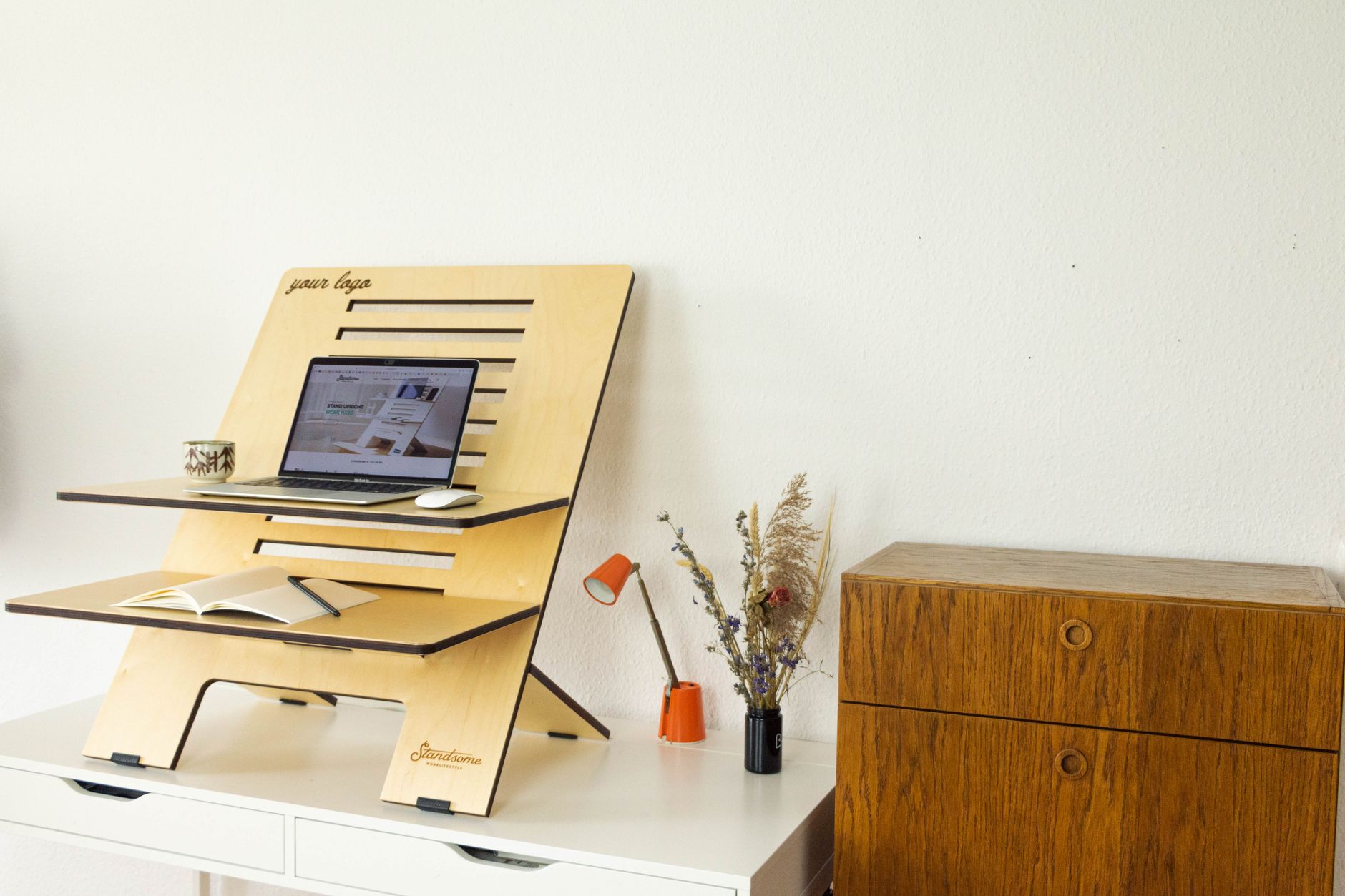
Converter desks. These sit on top of your existing desk and lift only your keyboard and monitor. Most buyers dismiss them as toys. That’s a mistake.
A good converter — the VariDesk Pro Plus 36 is the reference model — costs a third of a full standing desk and gives you 80% of the benefit if you already own a desk you like. It’s also the only realistic option if your employer won’t pay for furniture, or if you rent and move every two years.
The trade-off is real. You lose the full-desk standing experience and your monitor sits higher. But if your budget is $200 and your back hurts, a converter beats waiting another year to save for the real thing.
Verdict
Buy the Uplift V3 if you can. It’s the desk you’ll still own in 2036. If space or budget rules it out, the Jarvis and the Branch Duo are honest alternatives that don’t pretend to be more than they are.
The one thing I’d tell anyone: don’t buy a standing desk to stand more. Buy it to move more. The desks that last are the ones you actually adjust — up and down, several times a day. A $1,200 desk you never raise is worse than a $300 desk you use properly.
What’s your current setup — sitting, standing, or somewhere in between? That answer should decide which of these five you buy.